
Vue.jsを使ってTwitterウィジェットを埋め込みする
WEB
投稿毎にTwitterウィジェットを埋め込む
ある案件で、ブログ記事ごとに関係者のTwitterウィジェットを表示したいとのこと
ただし、Twitterウィジェットを縦に並べるのは、野暮ったいので簡単にできるように思案しました。
概要
- 投稿記事にカスタムフィールドを繰り返しフィールドで設置
- 設置したカスタムフィールドにTwitterアカウントを記入
- 記入したアカウントの数だけウィジェットを生成する
工程
- npmのvue-tweet-embedを使用
- Vue.jsのコンポーネントを作成する
- webpack4でコンパイル
npmでvue-tweet-embedを追加
yarn add vue-tweet-embed
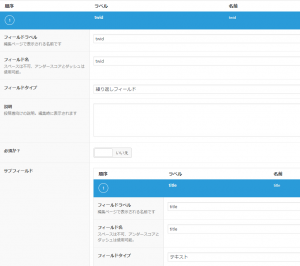
カスタムフィールドを設定
.vueファイルを作成
<template>
  <div>
    <div :index="i" v-for="(tw,i) in tweets" :key="tw.title">
      <v-timeline
      :id="tw.title"
      :source-type="'profile'"
      :options="{ 'height': twitterHeight }" />
    </div>
  </div>
</template>

<script>
import { Tweet, Moment, Timeline } from 'vue-tweet-embed'
import axios from 'axios'
export default{
  components: {
    'v-timeline': Timeline,
    Tweet: Tweet
  },
  data: function() {
    return {
      twitterHeight: '400',
      tweets: ['ここにツイートが出たらいいなぁ']
    }
  },
  mounted: function() {
    axios.get('/wp-json/wp/v2/posts/' + id)//ここはwordpressのREST APIで取得するパスを設定
    .then(response => {
      this.tweets = response.data.acf.twid
      // console.log(response.data.acf.twid)
    })
    .catch(error => {
      console.log(error)
    })
  }
}
</script>
.jsファイルに記入
import twitter from './twitter.vue'
if (document.getElementsByClassName('twitter')[0]) {
  new Vue({
    el: '.twitter',
    components: {twitter},
    template : '<twitter></twitter>',
  })
}
表示先phpに描画用に記入
<div class="twitter">
  <twitter></twitter>
</div>
上記内容をwebpackを使ってバンドルすることで描画されます。
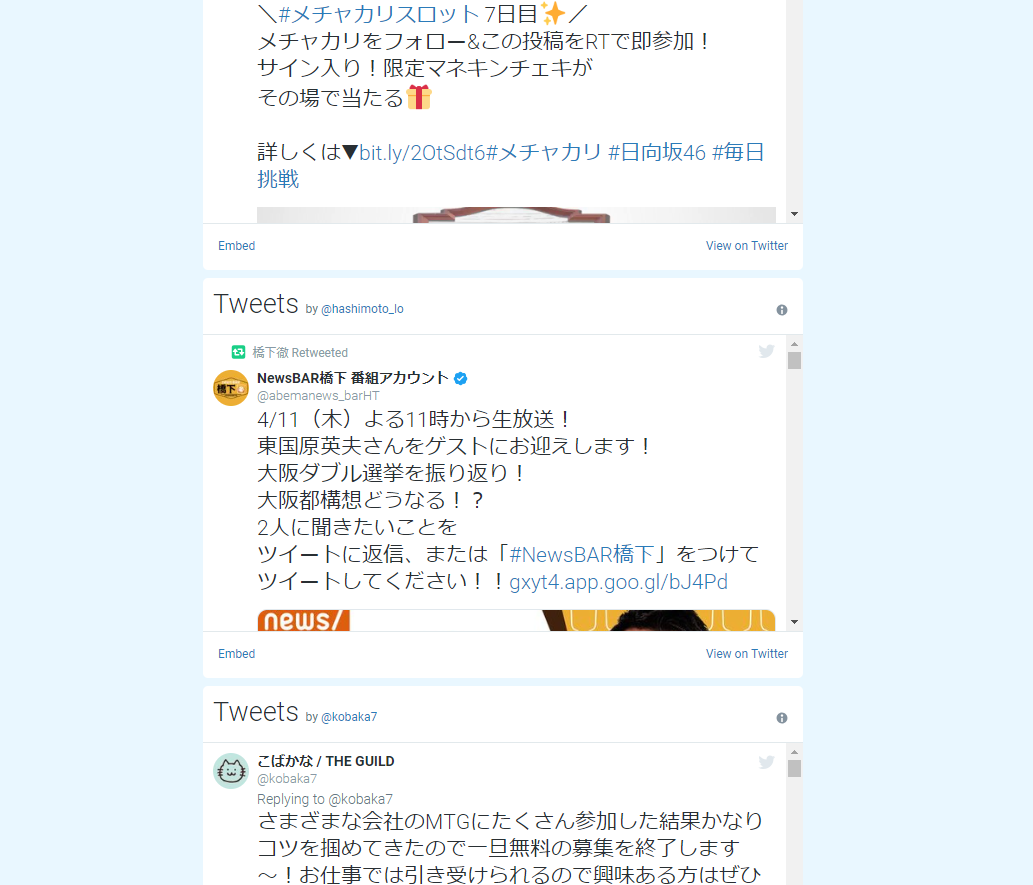
完成品イメージは下記です。
あとはお好みでCSSで横並びなどにするだけです。
